Character Design
Character design is used in making cartoons, comics, movies, public service announcements, and other animations which can be little tricky. It should fulfill some of the following characteristics:
a) The audience that aimed at (children/ teenagers/adults)
b)Where it will be published (TV/ youtube/ mobile version)
-to consider its size, design details
c) Make the character distinctive for example Simpsons that is simple and yellow which attracts others and gets recognized easily
d) Use lines and styles
Round, thick, even, soft lines - suggest chubby cute character
Sharp, uneven lines -uneasy character, villain
e) Choose appropriate colours
Dark colours (black, grey) - bad character
Light colours (pink, white, blue) - innocent character
Red, yellow, Blue - Heroic character
f) Adding accessories gives the personality of the character
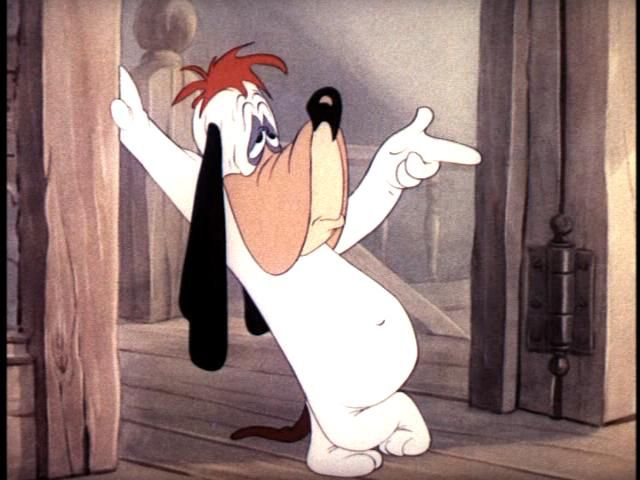
g) Facial expressions
anger, sad, bored, sleepy, happy face, aggressive face
Figure 1: Droopy (Creative Bloq, 2015)
h)Create the right environment
Cartoon Character Style
A cartoon character can have many styles, for example as below drawn by Malinen, 2015:
Characters:
Asterix
Calvin
Donald Duck
Captain Haddock
Batman
Heimo Vesa
Corto Maltese
Moomintroll
Garfield
Lucy
Figure 2: 10 different character styles (Malinen, 2014)
Below is another example of styles used by Kevin Mcshane, animator to create various style of himself.
Figure 3: Kevin Mcshane (cartoonkevin.com)
Figure 4: Various Styles of cartoon character (Taxi, 2013)
Different cartoon character styles
Western -
- Basic Comic (Little Lulu, Calvin and
Hobbes, Dilbert, Garfield)
Figure 5: Garfield (garfield.com,2017)
Analysis: Soft rounded lines, simple single colours
Figure 6: Calvin and Hobbes (tumbler.com, 2017)
Analysis: Black and white, simple straight and curve lines
- Superhero Comics (Marvel/DC)
Figure 7:
He-man (Marvel) (Quora,2017)
Analysis: Detailed, Colouful, Shading, Realistic
- Classic Cartoony (Looney Tunes, Tom and
Jerry, Mickey Mouse)
Figure 8: Mickey Mouse (pinterest.com, 2017)
Analysis: Thin rounded lines, Simple single colours
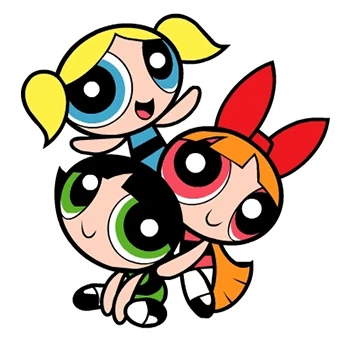
- 90’s Retro Cartoony (Thick Black outlines,
sharp edges, Dexter’s Laboratory, Powerpuff Girls)
Figure 9: Powerpuff Girls (Wiki, 2017)
Analysis: Thick bolded lines, rounded lines, round eyes,small pupil, simple body parts, colourful
quirky, perky, head shapes can be oval, square, triangle and oval, head is larger than body
parts, usually body follows the shape of clothes, female body - diamond shape at upper and
round shape for hips, legs are closer.
(Hart,C, 2005)
Figure 10: Facial expression of retro style cartoons (Hart,C, 2005)
- Noir (Black and White, Detective, 1940’s
themed)
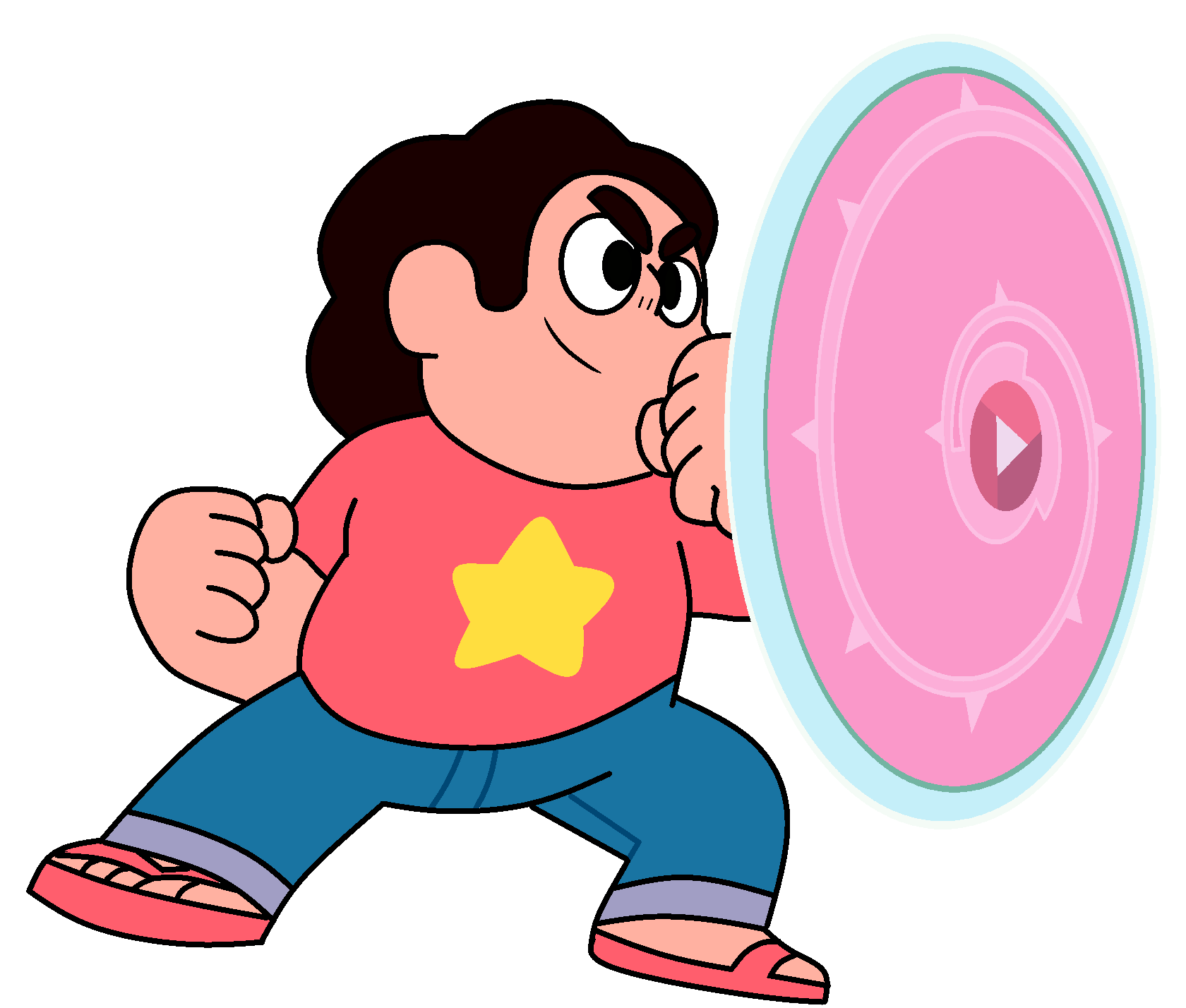
- Modern Cartoony (Thin Lines, Subdued
colors, Steven Universe, Clarence)
Figure 11: Steven Universe (wikia, 2017)
Analysis: Thin curve lines, simple, colourful, usage of pink(pop art) colours
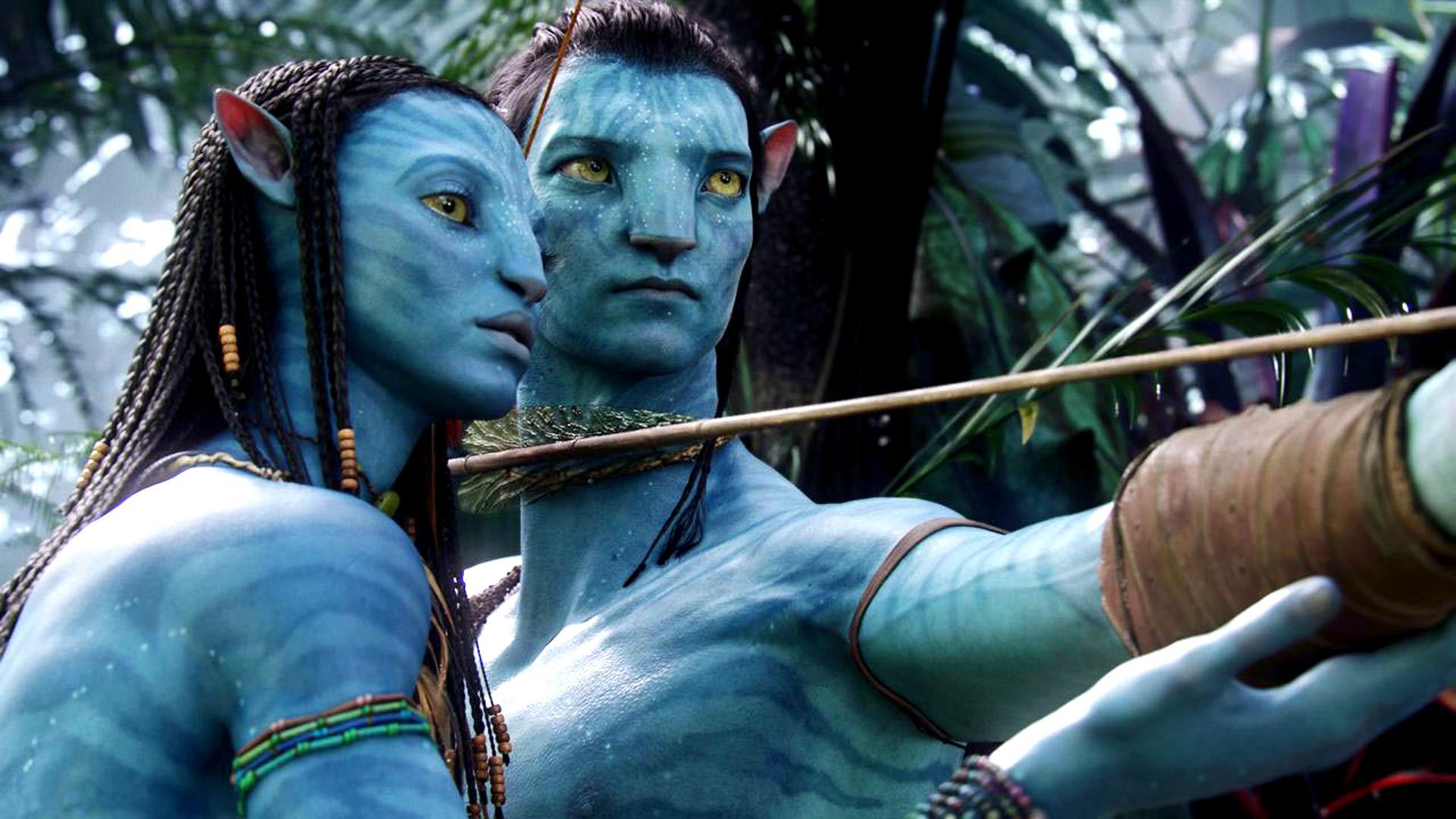
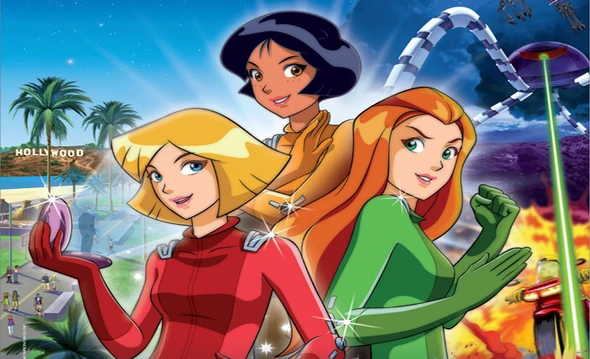
- Anime Inspired (Avatar, Legend of Korra,
The Boondocks, Totally Spies)
Figure 12: Avatar (Independant.co.uk, 2016)
Analysis: Detailed, realistic, Different tone of colours, complex
Figure 13: Totally Spies (wikia)
Analysis: simple thin line, realism + idealism, colourful
East Asian (Japan, China, Korea)
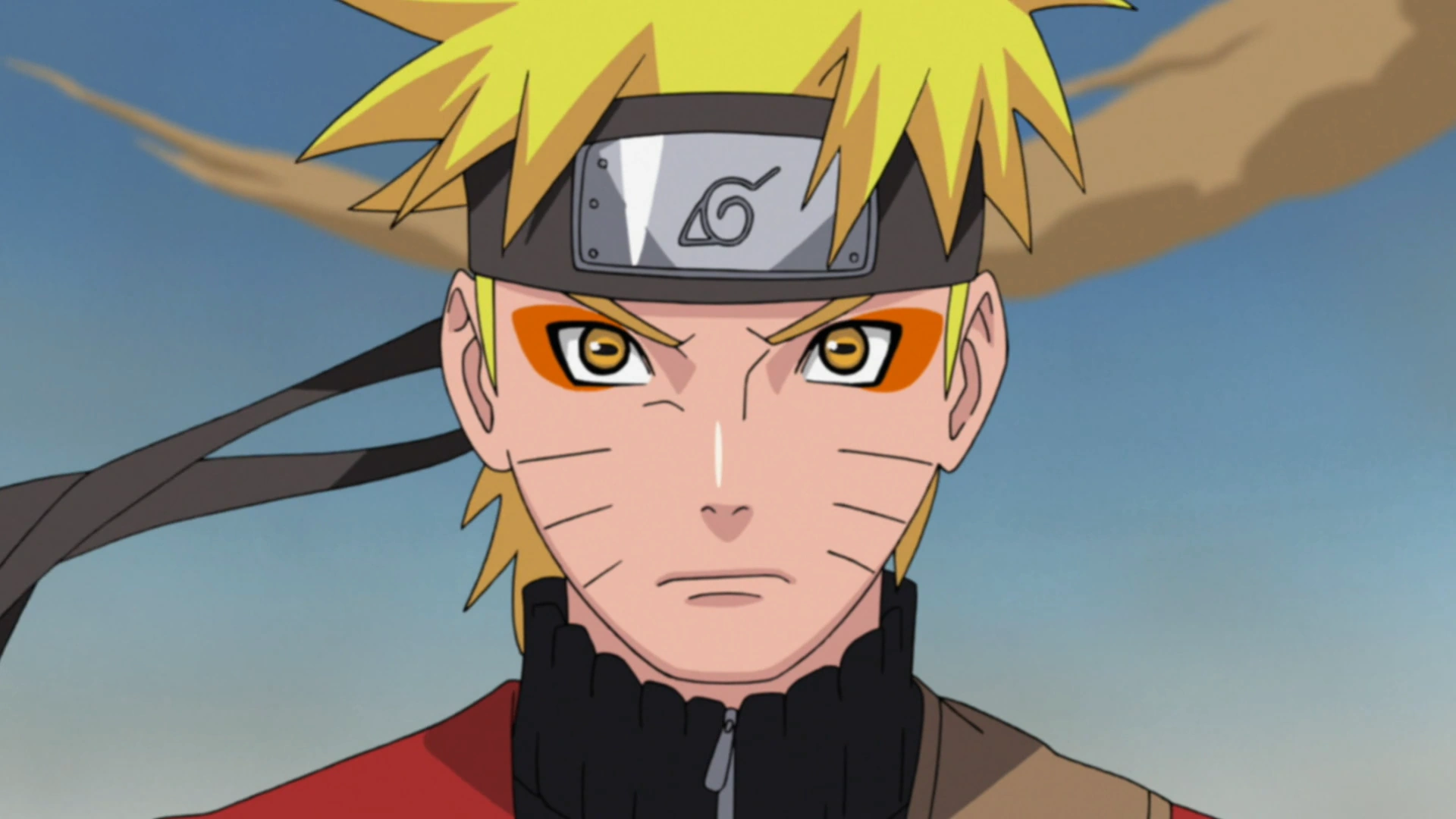
- Anime (Japanese animation, Naruto, One
Piece, Dragonball)
Figure 14: Naruto (Narutopedia, 2017)
Analysis: Simple straight lines, anime eyes, colourful but simple colours
- Dong Hua Pian (Chinese cartoon, Kuibo)
Figure 15: dàtóu
érzi hé xiǎotóu bàba (Theworldofchinese.com,2015)
Analysis : Chinese look, Simple lines, Colourful
- Manhwa (Pucca, Hello Jadoo)
Figure 16: HelloJadoo (Buykorea.org, 2015)
Analysis: Big eyes, Square face, simple lines, dotted nose, cute looking character, simple use of colours
(Quora,2017)
Some of the cartoon style web design:
Figure 17: Web Design Wigan (Designmodo.com, 2013)
Analysis: Cheerful, Colouful, Shading of colours, realistic, glamarous
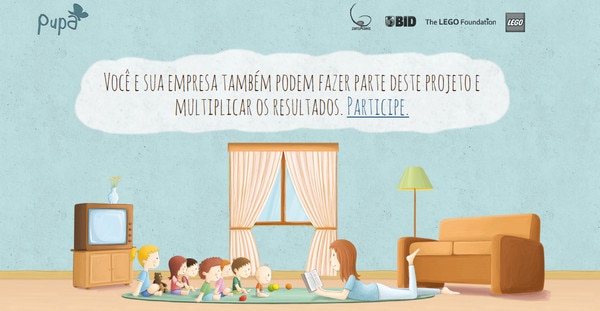
Figure 18: Pupa (designmodo.com, 2013)
Analysis: artistic illustrations, lively atmosphere, straight simple lines, colourful but simple usage of colours
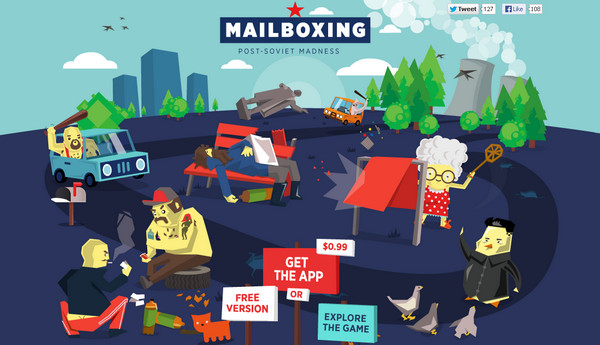
Figure19: Mailboxing (designmodo.com, 2013)
Analysis: geometrical look, rough, flat, simple dark colours, straight lines, idiomatical appearance
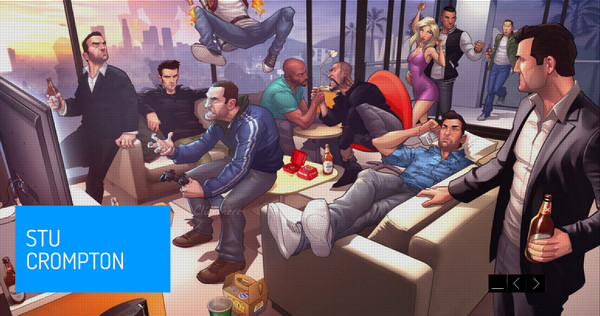
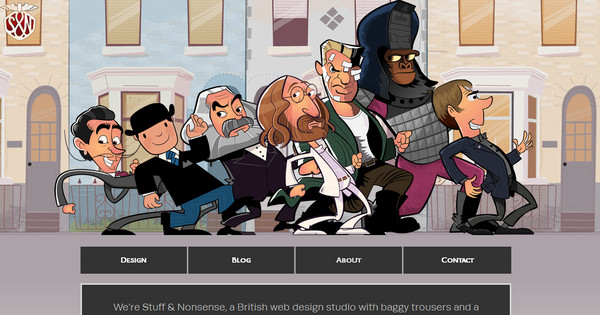
Figure 20: Stuff and Nonsense (designmodo.com 2013)
Analysis: hilarious look, simple lines, dark and simple colours, big head characters, cheerful, realism+idealism
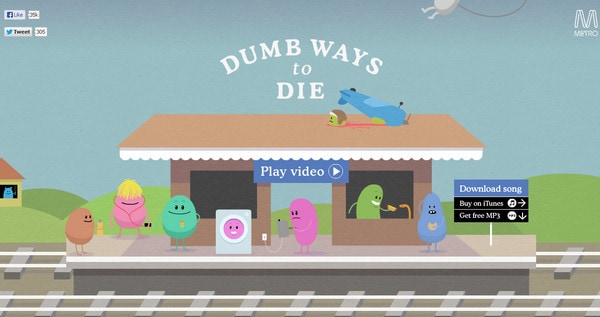
Figure 21: Dumb ways to die (designmodo.com, 2013)
Analysis: Simple rounded characters, simple lines, and simple face features, simple single use of colours, cute and funny look
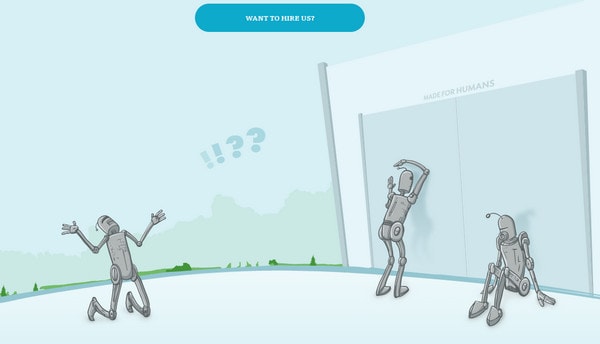
Figure 22: Made for humans (designmodo.com, 2013)
Analysis: Only blue colour tone colours with little bit of green and silver, Robotic look, simple lines
Cartoon Info graphic
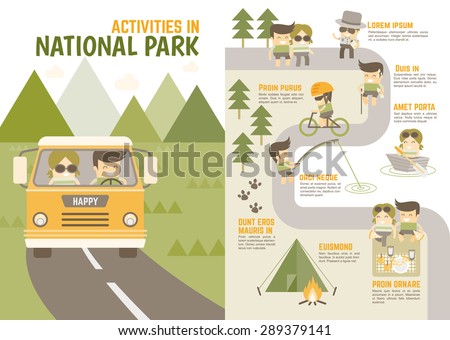
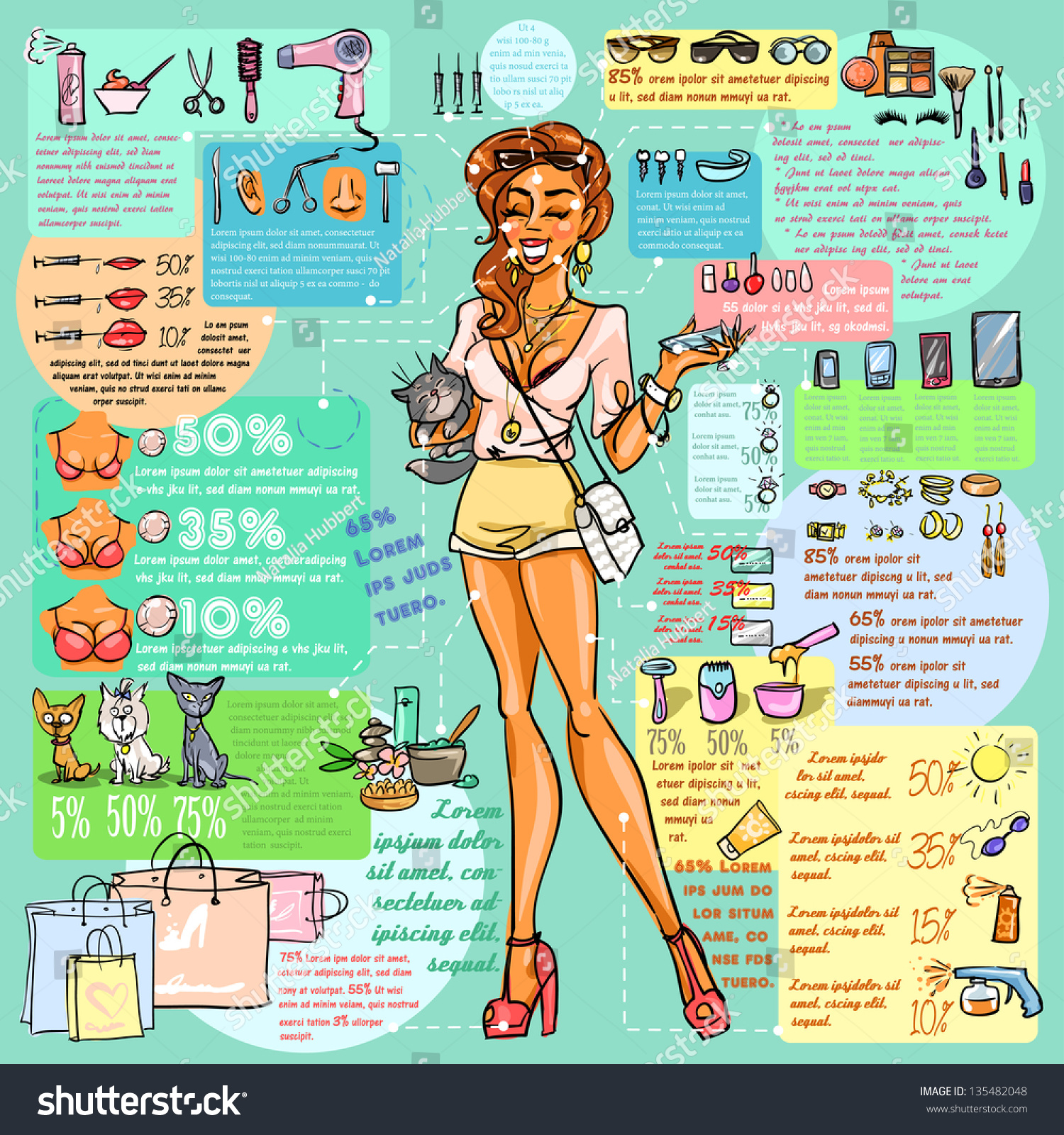
Cartoon info graphic is information displayed in visual with cartoon characters and with the words.
Example is:
Figure 23: Cartoon Infographic about activities in national park (shuttershock, 2017)
Figure 24: Fashion and Beauty Industry Infographic with sample text (shuttershock.com, 2017)
Reference:
Birch, N, 2013, Dip into Childhood-Cartoon Style Website Design, designmodo.com, accessed on 2 February 2017, url: https://designmodo.com/cartoon-website-designs/
Creative Bloq Staff, 2015,
20 Top character design tips, Creativebloq.come, accessed on 2 February 2017, url: http://www.creativebloq.com/character-design/tips-5132643/2
Hart,C, 2005, How to Draw new retro style character, accessed on 5th February 2017, slideshare.net, url: http://www.slideshare.net/jefffarias9/watson-guptillcartooncoolhowtodrawnewretrostylecharacters110606061902phpapp01
Malinen, 2014,
10 Cartoonist Styles for 10 different Cartoon Character is Nuts, Dorkly, accessed on 2 February 2017, url: http://www.dorkly.com/post/71214/10-cartoonist-styles-for-10-different-cartoon-characters-is-nuts
Neue, H, 2017,
4 years of drawing experience, Quora, accessed on 2 February 2017, url: https://www.quora.com/What-are-the-different-styles-of-cartoons-Have-those-styles-been-given-names
Yong, J, 2013,
Cartoonist Draw himself in 100 different Cartoons, Taxi, accessed on 2 February 2017, url: http://designtaxi.com/news/357284/Cartoonist-Draws-Himself-In-The-Style-of-100-Different-Cartoons/